
Descrizione
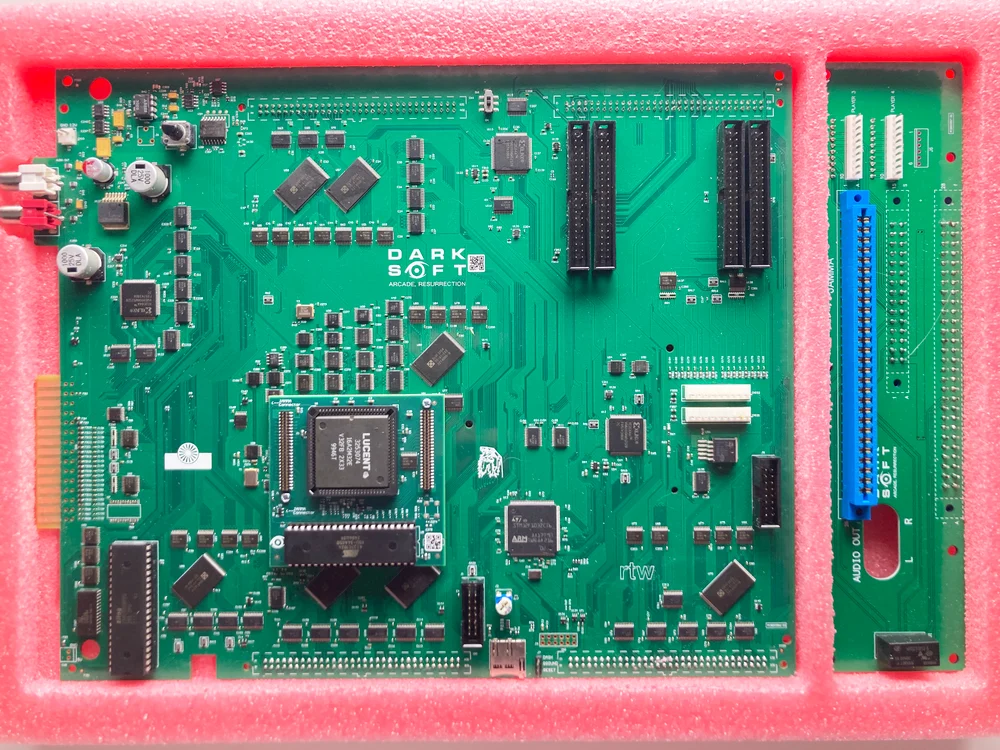
The Darksoft Neo Geo MVS Multigame Kit is designed for compatible original SNK Neo Geo MVS arcade hardware. The cartridge combines flash memory and DDR memory to hold up to three games at the same time, effectively giving a single-slot MVS motherboard three virtual game slots.
Games are stored on a compatible microSD card and managed through the cartridge’s on-screen menu. The cartridge remembers the games assigned to Slots 1, 2, and 3 after power is removed, so your selected titles remain available the next time the MVS system starts.
- Designed for compatible original SNK Neo Geo MVS arcade motherboards.
- Supports single-slot and multi-slot MVS configurations.
- This product is not the Neo Geo AES console version.
- Confirm that the MVS motherboard operates correctly with a standard cartridge before installing the multigame cartridge.
- Inspect and clean the MVS cartridge-slot contacts when necessary.
- Check the motherboard backup battery if game settings and high-score information are not being retained correctly.
- A compatible microSD card is required and is not included.
Three Simultaneous Game Slots
Load up to three games into Slots 1, 2, and 3. A single-slot MVS motherboard can operate with three virtual game slots through one Darksoft cartridge.
Persistent Game Assignments
The cartridge records which games are assigned to each slot. Those assignments remain after the system is powered off and are restored during the next startup.
Original Neo Geo Game Support
The cartridge supports original Neo Geo game data without requiring modifications. Some protected bootleg or modified versions may require patches or may not be supported.
Game List and Thumbnail Menus
Browse available titles as a text list or with thumbnail images. Games can be added to or removed from any of the three virtual slots through the on-screen menu.
QuickLaunch
Highlight a game and use QuickLaunch to load it into Slot 1 and start it directly. Games already assigned to Slots 2 and 3 remain unchanged.
Firmware and Menu Updates
Firmware and menu updates can be installed from the microSD card using the update-folder structure described in the manual.
Cartridge and microSD Installation
- Power off the MVS motherboard before inserting or removing the cartridge.
- Discharge static by touching a grounded surface before handling the cartridge.
- Install the cartridge in the same orientation as a standard MVS cartridge, following the white orientation triangle.
- Prepare the microSD card with a folder named
games. - Place only compatible game, homebrew, or personally developed files that you are legally entitled to use inside the
gamesfolder. - Insert the microSD card before powering on the system.
- Power off the system before inserting or removing the microSD card.
- Do not open or tamper with the cartridge enclosure or internal PCB.
Menu and Game Selection
Starting the Menu or a Loaded Game
During the startup countdown, use Player 1 Start to open the menu or use the appropriate action button to start the game assigned to Slot 1, Slot 2, or Slot 3.
Applying Slot Changes
Adding or removing games does not update the cartridge immediately. Use the menu’s exit-and-program function to save the slot changes and write any newly selected game data.
In-Game Hotkeys
- Hold Player 1 Start and Up for approximately three seconds to return to the cartridge menu.
- Hold Player 1 Start and Left or Right for approximately three seconds to move to the previous or next loaded game slot.
- Hotkeys can be disabled through the menu configuration when player access should be restricted.
MVS Settings and High-Score Storage
Game SoftDIP Settings
On MVS hardware, the cartridge menu can display and adjust supported original game settings such as difficulty, number of players, demo sounds, and language after the game has been run at least once.
Region and Operating Mode
The system-configuration menu can select USA, Europe, or Japan region operation and can run supported titles in MVS or AES software mode. This does not convert the physical MVS cartridge into an AES-console cartridge.
Backup-RAM Management
Neo Geo MVS backup RAM stores settings, high scores, and related data for a limited number of games. The cartridge can back up displaced game data to the microSD card and restore it later through the menu.
Cartridge Diagnostics
The menu includes cartridge diagnostics and an information screen for checking the installed firmware version and the number of available games detected on the microSD card.
Important Before Use
- Power off the MVS hardware before inserting or removing either the cartridge or the microSD card.
- Do not manually edit the
SLOT1,SLOT2, orSLOT3files created on the microSD card. - Complete all game changes through the cartridge menu and its exit-and-program option.
- Use only compatible files that you are legally entitled to possess and operate.
- Review the complete manual before performing firmware updates or changing the microSD folder structure.